![Laudio_Wordmark_RGB_Color (1)-3.png]](https://support.laudio.com/hs-fs/hubfs/Laudio_Wordmark_RGB_Color%20(1)-3.png?height=41&name=Laudio_Wordmark_RGB_Color%20(1)-3.png)
Audit forms can be distributed anonymously and publicly to support completion. These public links and QR codes can be shared broadly, including with individuals who do not have access to Laudio.
Key Benefits:
-
Enable broad and easy audit participation through public links and QR codes
-
Support anonymous feedback to encourage honest and timely responses
How to Share a Public Link
1. Click Audits on the left side in your workflow panel.
2. Click Audit Forms.
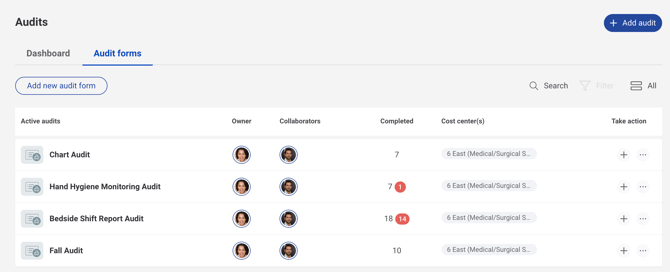
3. On the right side, click the "..." button and click Share a Public Link from the drop down menu.
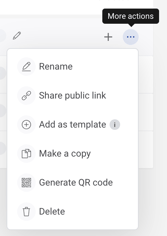
How to Generate a QR Code
1. Click Audits on the left side in your workflow panel.
2. Click Audit Forms.
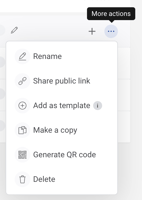
3. On the right side, click the "..." button and click Generate a QR code from the drop down menu.
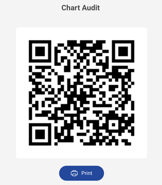
4. Team members can complete audits by scanning the QR code regardless if they have a Laudio account.
FAQs
Q: Can audits shared via a public link or QR code be tied back to a team member profile?
A: No. Responses submitted through public links or QR codes are anonymous.
Q: Can anyone complete an audit using a public link or QR code?
A: Yes. Public links and QR codes can be completed by anyone.
Q: Can audits be tied back to a patient?
A: No. Audits cannot be linked to a patient. Audits that need to be associated with a patient should be created within Patient Rounding.
Q: Can QR codes be printed?
A: Yes. QR codes can be printed.