![Laudio_Wordmark_RGB_Color (1)-3.png]](https://support.laudio.com/hs-fs/hubfs/Laudio_Wordmark_RGB_Color%20(1)-3.png?height=41&name=Laudio_Wordmark_RGB_Color%20(1)-3.png)
The Time and Attendance section in the team member profile gives leaders a clear view of attendance patterns for an individual team member. This view focuses on a single team member, allowing leaders to gain quick access to detailed information.
Key Benefits
-
View personalized attendance details for a single team member.
-
Analyze detailed Time and Attendance activity information without leaving the profile.
Steps to Review Time and Attendance from Team Member Profile
-
Navigate to the team member profile by search or from another workflow area.
-
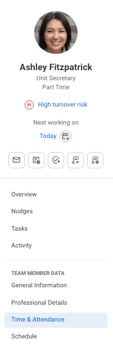
Click Time & Attendance in the profile navigation.
- Review any data elements within the Time and Attendance Dashboard and/or the Details tab. You can also click into any data element to open a slide-out panel with additional time and attendance details populated.
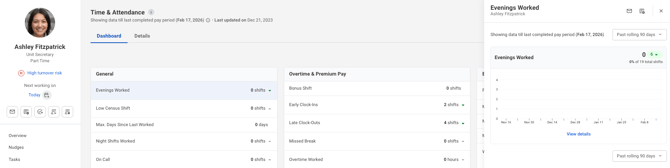
- From the popup, actions such as sending an email or adding a note can be taken for the selected event type
FAQ
Q: Can actions taken from the profile change totals in the tracker?
A: Yes. Ignoring rows, re‑including rows, or editing occurrence weights all update totals everywhere Time & Attendance data appears.