![Laudio_Wordmark_RGB_Color (1)-3.png]](https://support.laudio.com/hs-fs/hubfs/Laudio_Wordmark_RGB_Color%20(1)-3.png?height=41&name=Laudio_Wordmark_RGB_Color%20(1)-3.png)
Patients can be searched for directly within the Patient Rounding Tracker, making it easier to quickly locate a specific patient and review relevant rounding information.
Key Benefits:
-
Quickly find patients who need follow-up rounding.
-
Review previous rounds and service recovery activities for a specific patient.
-
Save time when locating individual patients within the tracker.
How to Search for a Patient
- Click the Search field at the top of the Patient Rounding Tracker.
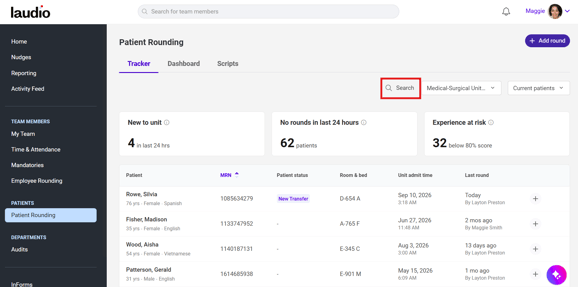
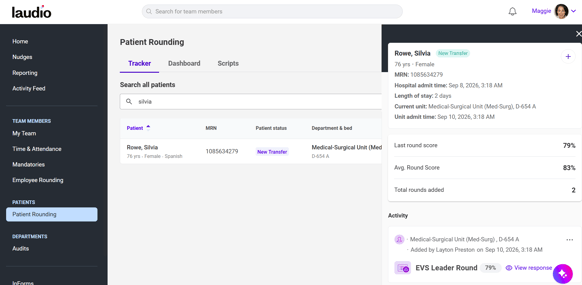
- Enter the patient's name or MRN number.
- Select the patient from the search results to view their rounding history and details.
FAQs
Q: Can patients be searched across all departments?
A: Yes, patients can be searched by name or MRN across all departments.