![Laudio_Wordmark_RGB_Color (1)-3.png]](https://support.laudio.com/hs-fs/hubfs/Laudio_Wordmark_RGB_Color%20(1)-3.png?height=41&name=Laudio_Wordmark_RGB_Color%20(1)-3.png)
Key Benefits
-
Take action directly in Laudio from attendance data.
-
Communicate clearly with team members using auto-populated templates.
-
Maintain accurate documentation to support timely coaching and accountability.
Steps to Take Action From the Tracker
- From the Laudio navigation bar, click Time & Attendance.
-
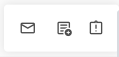
Hover over a team member row to view Action Icons.
-
Send a Message
-
Click Send Message.
-
Review the email that populated (event count by type and itemized events for the selected period).
-
Adjust content if needed, then click Send.
- Email action logs to Activity and contributes to LAI.
Note: If Perfect Attendance, a celebratory template is applied automatically.
-
- Add a note
- Click Add Note.
- Enter note title and note details, then click Add Note.
- Note logs to Activity and contributes to LAI.
- Update disciplinary actions (Note: This activity icon is only available for clients that do not have a direct disciplinary‑actions integration in place).
- Click Update Disciplinary Actions.
- Select Category, Level, and optional Expiry Date.
- Click Save.
FAQs
Q: Why did T&A events populate in my email?
A: The Time & Attendance tracker pulls the shared, visible attendance data directly into the email, and leaders can update the email content at any time. If you want to include or remove specific fields, click Manage Columns to adjust which properties appear in the message.
A: The disciplinary‑actions icon is only available for health systems without a direct disciplinary‑actions integration. If your organization uses an integrated system, disciplinary actions must be managed through that system instead, and those updates will then flow into Laudio as long as the disciplinary action is active.