![Laudio_Wordmark_RGB_Color (1)-3.png]](https://support.laudio.com/hs-fs/hubfs/Laudio_Wordmark_RGB_Color%20(1)-3.png?height=41&name=Laudio_Wordmark_RGB_Color%20(1)-3.png)
Laudio makes it easy for leaders to view peer feedback responses tied to individual team member profiles.
Key Benefits
- Centralized access to peer feedback responses
- Helps track completion status across cost centers
Where to View Peer Feedback Responses
Peer feedback responses can be accessed in three main areas:
- Team Member Profile
- Navigate to the team member's profile. Team members can be search for at the top of Laudio.
- Within the "Activity" section, any activities related to the team member will appear here - including peer feedback submissions.
- Click View Response to see submitted feedback.

- InForms
- Navigate to InForms from the left-hand navigation bar.
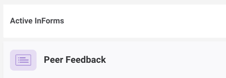
- Click the Peer Feedback InForm.
- View all submitted responses under the "Individual responses" tab.
- Peer Feedback Workflow Dashboard
- View the "Peer Feedback Received" column next to each team member.
- This shows the number of feedback forms received.
FAQs
Q: I don’t see peer feedback in my Laudio. Why is that?
A: Peer feedback may be turned off for your health system. For more information, please contact Support@Laudio.com or reach out to your Client Engagement representative.
A: Peer feedback may be turned off for your health system. For more information, please contact Support@Laudio.com or reach out to your Client Engagement representative.
Q: Who completes the peer feedback?
A: The team member selects the individuals they would like to complete their peer feedback forms.
A: The team member selects the individuals they would like to complete their peer feedback forms.